- Startpagina /
- Videogames /
- PC /
- Accessoires /
- Gaming Mice /
- Mouse Button Board Micro Switch Replacement C...

0 ratings


Artikelnr.:
18775640
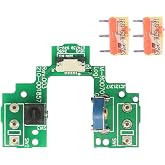
Mouse Button Board Micro Switch Replacement Compatible for Logit G900/G903 Gaming Mouse
90% van de respondenten zou dit aanraden aan een vriend
Artikelnr.:
18775640
€ 14
Prijsdetails
Exclusief verzend- en douanekosten ( Verzend- en douanekosten worden berekend bij het afrekenen )
*Alle artikelen worden geïmporteerd vanuit VS
0 ratings
Schrijf een beoordeling
Op voorraad
 Geïmporteerd uit USA
QTY:
Bestel nu en ontvang het rond Donderdag, november 12
Beveiligde transactie
Ubuy zet zich in om uw veiligheid en privacy te beschermen. Ons geavanceerde beveiligingssysteem voor betalingen zorgt voor vertrouwelijkheid door uw gegevens tijdens verzending te versleutelen met AES (Advanced Encryption Standards) en SSL (Secure Socket Layer) protocollen. Uw betalingsgegevens zijn 100% veilig, aangezien wij uw betalingsgegevens niet delen met externe verkopers.
Onze beste bezorgdiensten


Koop nu, betaal later

Spoedbestelling

Gratis
retourneren*

Stevig verpakt

100% Origineel product

PCI DSS Compliance

ISO 27001 Certified





Note: Step Down Voltage Transformer required for using electronics products of VS store (110 V-120 V). Recommended power converters Nu kopen.


Productdetails
| Operation Mode | ON-OFF |
| Contact Type | Normally Open |
| Connector Type | Micro-usb |
| Switch Type | Mechanical |
| Terminal | Quick-connect |
| Circuit Type | 2-way |
| Mounting Type | snap in mount |
| Number of Positions | 1 |
| Control Method | Push Button |
| Control Type | Basic |
| Compatible Devices | Personal Computer |
| Color | Button Board with D2FC-F-7N(20M)Micro Switch for G900 G903 mouse |
| Unit Count | 2 Count |
| Number of Items | 2 |
| Material Type | metal plastic |
| Contact Material | Metal |
| Brand Name | HUYUN |
| Manufacturer | HUYUN |
| Brand | HUYUN |
| Material | metal plastic |
| Item Weight | 0.1 lbs (50 grams) |
PRODUCTBESCHRIJVING
Heeft u een vraag? Chat met ons
Vragen en antwoorden van klanten
-
vraag:
Hoe kan ik Mouse Button Board Micro Switch Replacement online winkelen bij Ubuy?
antwoord: Het is gemakkelijk om Mouse Button Board Micro Switch Replacement online te winkelen bij Ubuy.. U hoeft alleen maar naar het product te zoeken, uw verzendmethode te kiezen tijdens het afrekenen en het op uw locatie te laten bezorgen. -
vraag:
Is Mouse Button Board Micro Switch Replacement beschikbaar om online te winkelen in Netherlands?
antwoord: Ja, bij Ubuy Netherlands kun je dit product tegen een redelijke prijs kopen.. De Mouse Button Board Micro Switch Replacement is lokaal niet beschikbaar, maar u kunt ons vertrouwen met onze expresverzendingsdiensten. -
vraag:
Hoe lang duurt het om het product te krijgen na het plaatsen van de bestelling?
antwoord: De levertijd van je bestelde product hangt af van wat je hebt besteld en de verzendmethode die je hebt gekozen.. De geschatte levertijd wordt vermeld tijdens het afrekenen, wees dus zorgeloos tijdens het winkelen.
HUYUN Gaming Mice Editorial Review
Geen beoordelingen van de redactie gevonden
Klantbeoordelingen en -waardering
82 klantenbeoordelingen
-
5 ster
76%
-
4 ster
12%
-
3 ster
8%
-
2 ster
3%
-
1 ster
1%
Beoordeel dit product
Deel uw mening met andere klanten
VERTROUWEN IN HET PLATFORM & KOPERSZEKERHEID

FK
Fatuma
Geverifieerde koper
“My experience was great I really liked the fact that i get my order delivered within the days promised. The packaging , the product, shipment everything was so good, trustworthy and fast. Definitely will shop again”
28 October 2026 · via Trustpilot
JC
Jane
Geverifieerde koper
“Very easy to order. The product was good quality. The delivery service was excellent, updates given so you knew what was happening.”
30 October 2026 · via Trustpilot
R
Roman
Geverifieerde koper
“Good experience The product I ordered came as expected. What most impressed me in dealing with Ubuy is the communication and updates I received through the process. I knew exactly where and when my item was at all times until delivery. Well done!”
31 October 2026 · via Trustpilot
SH
SJ Hong
Geverifieerde koper
“The package came very quickly and the shipping fee was extremely reasonable! Overall, the service as well as my experience of ordering from Ubuy was a very pleasant experience! Thank you so much!”
31 October 2026 · via Trustpilot
SH
Szilvia
Geverifieerde koper
“Great service. Ordered an item coming from the USA which wasn't available in Ireland or even for delivery from the retailer and it had arrived within a few days. Very happy with the product and the service.”
31 October 2026 · via Trustpilot
WAAROM BIJ ONS WINKELEN
Veilig Afrekenen
Wereldwijde levering
Eenvoudig retourneren
Originele producten
Customers also viewed these products
Prijsgeschiedenis van het product
Belangrijke informatie
- Beperkingen: voor producten die internationaal worden verzonden, gelieve er rekening mee te houden dat eventuele fabrieksgaranties mogelijk niet geldig zijn; ondersteuningsopties van de fabrikant zijn mogelijk niet beschikbaar; producthandleidingen, instructies en veiligheidswaarschuwingen zijn mogelijk niet in de taal van het land van bestemming; de producten (en bijbehorende materialen) zijn mogelijk niet ontworpen in overeenstemming met de normen, specificaties en etiketteringsvereisten van het land van bestemming; en de producten zijn mogelijk niet in overeenstemming met de voltage- en andere elektriciteitsstandaarden van het land van bestemming (waardoor het gebruik van een adapter of omvormer nodig is, indien van toepassing). De ontvanger is ervoor verantwoordelijk zich ervan te verzekeren dat het product rechtmatig kan worden geïmporteerd naar het land van bestemming. Bij het bestellen bij Ubuy of diens partners geldt de ontvanger als de geregistreerde invoerder en dient zich als zodanig te houden aan alle wetten en voorschriften van het land van bestemming.
- Omdat Ubuy een wereldwijde zoekmachine is, zijn niet alle producten die op Ubuy worden vermeld ook te koop. Producten zijn onderworpen aan wetgeving inzake export en handel.
€ 14
Bestel nu en ontvang het rond Donderdag, november 12
Dit product is wel in mijn land verkrijgbaar. (Klik op de knop hierboven als dit artikel wel in jouw land verkrijgbaar is. Ons team zal het controleren en aanpassen.)
QTY:
Beveiligde transactie
PCI DSS-compliant en ISO 27001:2022-gecertificeerd, met versleutelde betalingen en volledige kopersbescherming bij elke bestelling.
Onze beste bezorgdiensten
Snelste grensoverschrijdende levering
Ubuy-garantie
Ervaar zorgeloos winkelen met 100% originele producten, PCI DSS-conforme betalingsbeveiliging, ISO 27001-gecertificeerde gegevensbescherming, de snelste grensoverschrijdende levering, gratis retourneren *, en veilige verpakking bij elke bestelling.